# Create a Wallet
MoonPay Wallets enables you to create embedded wallets for your users programmatically. These self-custodial wallets are owned by the authenticated user and secured using distributed key sharding.
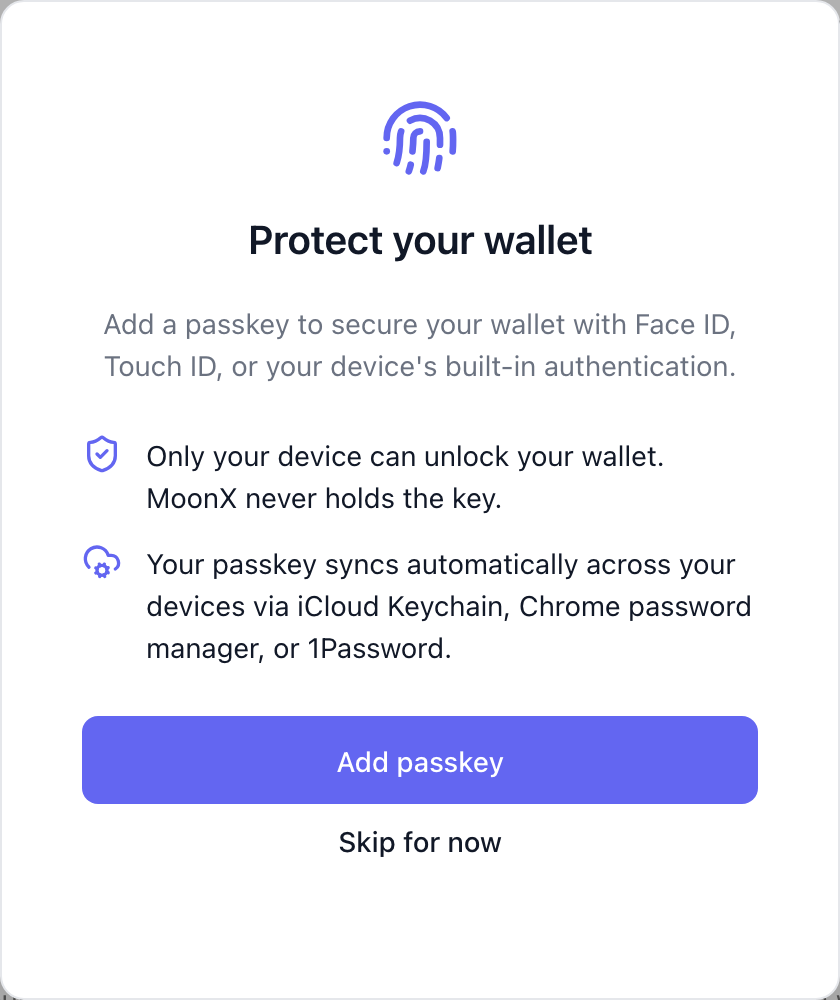
Wallets are created explicitly using the SDK; MoonPay Wallets does not auto-mint them at signup. After authentication, `useWallets()` returns no wallets until your app creates one (check its `loading` flag before treating an empty list as "no wallet"). Call `useCreateWallet().createWallet()` for the chain the user needs, or, for a brand-new user, create the first wallet on the same prompt as passkey enrollment by passing `createWallets` to `registerPasskey` (see [Passkeys](/wallets/passkeys)).
`createWallet()` creates a new wallet every time it is called. To make sure the user has a wallet for a chain without creating duplicates, use [`findOrCreateWallet`](#find-or-create-a-wallet).
## React SDK
To create an Ethereum wallet with the React SDK, use the `createWallet` method from the `useCreateWallet` hook:
### Usage
```tsx
import { useCreateWallet } from '@moon-x/react-sdk/ethereum';
function CreateWalletButton() {
const { createWallet } = useCreateWallet();
const handleCreate = async () => {
try {
const wallet = await createWallet();
console.log('Wallet created:', wallet.address);
} catch (error) {
console.error('Failed to create wallet:', error);
}
};
return ;
}
```
### Returns
A `Promise` for the wallet object containing the created wallet's details.
The wallet's Ethereum address (e.g., `0x1234...5678`)
The chain type, always `'ethereum'` for Ethereum wallets
The wallet client instance for performing operations
### Callbacks
You can optionally register `onSuccess` or `onError` callbacks on the `useCreateWallet` hook:
```tsx
import { useCreateWallet } from '@moon-x/react-sdk/ethereum';
const { createWallet } = useCreateWallet({
onSuccess: (wallet) => {
console.log('Wallet created successfully:', wallet.address);
// Navigate to wallet setup or show success message
},
onError: (error) => {
console.error('Failed to create wallet:', error);
// Show error message to user
}
});
```
Optional callback to run after a user successfully creates a wallet.
Optional callback to run if there is an error during wallet creation.
### Complete example
```tsx
'use client';
import { useMoonX } from '@moon-x/react-sdk';
import { useCreateWallet } from '@moon-x/react-sdk/ethereum';
import { useState } from 'react';
export default function WalletCreation() {
const { user, isAuthenticated } = useMoonX();
const [isCreating, setIsCreating] = useState(false);
const { createWallet } = useCreateWallet({
onSuccess: (wallet) => {
console.log('Wallet created:', wallet.address);
alert(`Wallet created: ${wallet.address}`);
},
onError: (error) => {
console.error('Error:', error);
alert('Failed to create wallet');
}
});
if (!isAuthenticated) {
return
);
}
```
To create a Solana wallet with the React SDK, use the `createWallet` method from the `useCreateWallet` hook:
### Usage
```tsx
import { useCreateWallet } from '@moon-x/react-sdk/solana';
function CreateWalletButton() {
const { createWallet } = useCreateWallet();
const handleCreate = async () => {
try {
const wallet = await createWallet();
console.log('Wallet created:', wallet.address);
} catch (error) {
console.error('Failed to create wallet:', error);
}
};
return ;
}
```
### Returns
A `Promise` for the wallet object containing the created wallet's details.
The wallet's Solana address (base58 encoded)
The chain type, always `'solana'` for Solana wallets
The wallet's public key as a Solana `PublicKey` instance
### Callbacks
You can optionally register `onSuccess` or `onError` callbacks on the `useCreateWallet` hook:
```tsx
import { useCreateWallet } from '@moon-x/react-sdk/solana';
const { createWallet } = useCreateWallet({
onSuccess: (wallet) => {
console.log('Wallet created successfully:', wallet.address);
// Navigate to wallet setup or show success message
},
onError: (error) => {
console.error('Failed to create wallet:', error);
// Show error message to user
}
});
```
Optional callback to run after a user successfully creates a wallet.
Optional callback to run if there is an error during wallet creation.
### Complete example
```tsx
'use client';
import { useMoonX } from '@moon-x/react-sdk';
import { useCreateWallet } from '@moon-x/react-sdk/solana';
import { useState } from 'react';
export default function WalletCreation() {
const { user, isAuthenticated } = useMoonX();
const [isCreating, setIsCreating] = useState(false);
const { createWallet } = useCreateWallet({
onSuccess: (wallet) => {
console.log('Wallet created:', wallet.address);
alert(`Wallet created: ${wallet.address}`);
},
onError: (error) => {
console.error('Error:', error);
alert('Failed to create wallet');
}
});
if (!isAuthenticated) {
return
);
}
```
To create a Tron wallet with the React SDK, use the `createWallet` method from the Tron subpath:
### Usage
```tsx
import { useCreateWallet } from '@moon-x/react-sdk/tron';
function CreateWalletButton() {
const { createWallet } = useCreateWallet();
const handleCreate = async () => {
try {
const { wallet } = await createWallet();
console.log('Wallet created:', wallet.public_address);
} catch (error) {
console.error('Failed to create wallet:', error);
}
};
return ;
}
```
### Returns
A `Promise` for the wallet object containing the created wallet's details.
The wallet's Tron address, for example `T...`.
The chain type, always `'tron'` for Tron wallets.
### Complete example
```tsx
'use client';
import { useMoonX } from '@moon-x/react-sdk';
import { useCreateWallet } from '@moon-x/react-sdk/tron';
import { useState } from 'react';
export default function TronWalletCreation() {
const { user, isAuthenticated } = useMoonX();
const [isCreating, setIsCreating] = useState(false);
const { createWallet } = useCreateWallet();
const existingWallet = user?.wallets?.find((w) => w.wallet_type === 'tron');
if (!isAuthenticated) return
Please sign in first
;
if (existingWallet) return
Tron wallet: {existingWallet.public_address}
;
const handleCreate = async () => {
setIsCreating(true);
try {
await createWallet();
} finally {
setIsCreating(false);
}
};
return (
);
}
```
Choose Taproot, Native SegWit, or Legacy with the Bitcoin subpath. Taproot is the default.
```tsx
import { useCreateWallet } from '@moon-x/react-sdk/bitcoin';
function CreateBitcoinWalletButton() {
const { createWallet } = useCreateWallet();
const createTaproot = async () => {
const { wallet } = await createWallet({ addressType: 'p2tr' });
console.log(wallet.public_address, wallet.address_type);
};
const createNativeSegWit = async () => {
const { wallet } = await createWallet({ addressType: 'p2wpkh' });
console.log(wallet.public_address, wallet.address_type);
};
const createLegacy = async () => {
const { wallet } = await createWallet({ addressType: 'p2pkh' });
console.log(wallet.public_address, wallet.address_type);
};
return (
<>
);
}
```
Each call creates a separate wallet with its own key and address. Taproot wallets use `bc1p` addresses, Native SegWit wallets use `bc1q` addresses, and Legacy wallets use `1...` addresses. See [Bitcoin Overview and Wallet Types](/wallets/using-wallets/bitcoin/overview) before exposing multiple types in your app.
## Find or create a wallet
`findOrCreateWallet(chain)` returns the user's existing wallet for that chain, or runs the normal creation flow if they don't have one. Use it for flows such as "make sure this user has a Solana wallet", where calling `createWallet()` could mint a second wallet.
```tsx
import { useMoonX } from '@moon-x/react-sdk';
function EnsureSolanaWallet() {
const { findOrCreateWallet } = useMoonX();
const handleContinue = async () => {
const { wallet } = await findOrCreateWallet('solana');
console.log('Using wallet:', wallet.public_address);
};
return ;
}
```
It accepts `'ethereum'`, `'solana'`, `'tron'`, or `'bitcoin'` and resolves to `{ wallet }`. For Bitcoin, pass the address type to match. It defaults to Taproot (`'p2tr'`), the same default as `createWallet()`:
```tsx
const { wallet } = await findOrCreateWallet('bitcoin', { addressType: 'p2wpkh' });
```
Behavior:
* If the user has one or more wallets for the chain (and address type, for Bitcoin) in your app, it returns the oldest one without prompting the user. Wallets added later, for example with `createAdditional`, don't change which wallet it returns.
* If the user has none, it runs the same flow as `createWallet()`, including any passkey or verification prompt.
* Concurrent calls on the same page for the same chain share one request, so double clicks or several components asking at once produce one wallet. Separate tabs and devices are not coordinated.
* A routine session refresh during the call does not interrupt it.
It rejects with these errors:
No user is signed in. No wallet is created.
A different login replaced the session while the call was running. If the new login happened during creation, a wallet may already exist for the earlier login. Confirm the intended account, then retry with `findOrCreateWallet()`, not `createWallet()`. The retry searches the current account before it creates a wallet.
The user's existing wallets could not be read. No wallet is created. Retry rather than creating a wallet, so the user does not end up with a duplicate.
Thrown by `useCreateWallet().findOrCreateWallet` when the provider comes from an SDK version without `findOrCreateWallet`. Upgrade `@moon-x/react-sdk` to 0.26.0 or later.
`findOrCreateWallet` requires `@moon-x/react-sdk` 0.26.0 or later. On React Native it is available from `@moon-x/react-native-sdk` 0.21.0 (see [React Native wallets](/get-started/frontend-sdks/react-native/wallets)).
## Why there is no REST endpoint for wallet creation
Wallet creation is not a single server-to-server REST call. A wallet's private key is generated through an MPC keygen ceremony that runs between the authenticated user's device and the MoonPay Wallets infrastructure, the key shares are created where they will live, and the complete private key never exists in one place.
Because the user's device participates in the keygen ceremony, wallets are created from the client via the React SDK's `useCreateWallet` hook (see the examples above), not from your backend with a Secret API Key.
## Wallet creation
Use the `useCreateWallet` hook from the chain-specific subpath to create wallets programmatically. MoonPay Wallets does not auto-create wallets, your app is responsible for minting them when the user needs one.
```tsx
const { createWallet } = useCreateWallet();
await createWallet();
```
**Best for:**
* Apps with optional blockchain features
* Progressive onboarding flows
* Users who opt-in to web3 features
* When you want to delay wallet creation for UX reasons
## Checking if a user has a wallet
To show different UI depending on whether the user has a wallet, check the user object once `ready` is `true`. If the goal is only to make sure a wallet exists before continuing, call [`findOrCreateWallet`](#find-or-create-a-wallet) instead.
```tsx
import { useMoonX } from '@moon-x/react-sdk';
function MyComponent() {
const { user } = useMoonX();
if (user?.wallets?.[0]) {
// User already has a wallet
console.log('Wallet address:', user.wallets?.[0]?.public_address);
} else {
// User doesn't have a wallet yet
// Show create wallet button
}
}
```
## Common use cases
### Onboarding flow with wallet creation
```tsx
'use client';
import { useMoonX } from '@moon-x/react-sdk';
import { useCreateWallet } from '@moon-x/react-sdk/ethereum';
import { useState } from 'react';
export default function OnboardingFlow() {
const { user, isAuthenticated } = useMoonX();
const { createWallet } = useCreateWallet();
const [step, setStep] = useState<'welcome' | 'creating' | 'complete'>('welcome');
if (!isAuthenticated) {
return
Please sign in to continue
;
}
if (user?.wallets?.[0]) {
return
You already have a wallet! {user.wallets?.[0]?.public_address}
Your wallet address: {user?.wallets?.[0]?.public_address}
)}
);
}
```
### Optional wallet creation
```tsx
import { useMoonX } from '@moon-x/react-sdk';
import { useCreateWallet } from '@moon-x/react-sdk/ethereum';
export default function OptionalWalletFeature() {
const { user } = useMoonX();
const { createWallet } = useCreateWallet();
if (user?.wallets?.[0]) {
return ;
}
return (
Unlock Blockchain Features
Create a wallet to access NFTs, tokens, and more
);
}
```
### Server-side wallet creation
Not supported. The keygen ceremony requires the user's device, so wallets cannot be minted from your backend, trigger `createWallet()` from your client when the user needs a wallet instead.
## Best practices
`createWallet()` always creates a new wallet. When you only need the user to have one, use `findOrCreateWallet`, which returns the existing wallet if there is one:
```tsx
const { findOrCreateWallet } = useMoonX();
const { wallet } = await findOrCreateWallet('ethereum');
```
If you check yourself first, wait for `useMoonX().ready`, and for `useWallets().loading` to be `false` if you read `useWallets()`, so an empty list from a fetch that hasn't finished doesn't lead to a duplicate wallet.
Provide clear feedback when wallet creation fails:
```tsx
try {
await createWallet();
toast.success('Wallet created successfully!');
} catch (error) {
toast.error('Failed to create wallet. Please try again.');
console.error('Wallet creation error:', error);
}
```
Display loading indicators during wallet creation:
```tsx
const [isCreating, setIsCreating] = useState(false);
const handleCreate = async () => {
setIsCreating(true);
try {
await createWallet();
} finally {
setIsCreating(false);
}
};
```
Explain what a wallet is and why they're creating one:
```tsx
What is a wallet?
A wallet lets you own digital assets like NFTs and tokens.
Your wallet is self-custodial - only you can access it.
```
Handle navigation or UI updates after successful wallet creation:
```tsx
const { createWallet } = useCreateWallet({
onSuccess: (wallet) => {
// Log analytics
analytics.track('wallet_created', { address: wallet.address });
// Navigate to next step
router.push('/wallet/funded');
}
});
```
Never expose your Secret API Key in client-side code:
```typescript
// ❌ WRONG - Never do this
const apiKey = 'moon_sk_live_...';
// ✅ CORRECT - Use environment variables on server
const apiKey = process.env.MOONX_SECRET_API_KEY;
```
## Error handling
Common errors and how to handle them:
```tsx
try {
await createWallet();
} catch (error) {
if (error.message.includes('already has a wallet')) {
toast.info('You already have a wallet');
} else if (error.message.includes('not authenticated')) {
toast.error('Please sign in first');
} else if (error.message.includes('network')) {
toast.error('Network error. Please check your connection.');
} else {
toast.error('Failed to create wallet. Please try again.');
}
}
```
## Next steps
Learn how to send transactions with the wallet
Sign messages for authentication
Allow users to export their private key
 ## React SDK